
Table of Contents
- What Is a Self-Hosted CRM and Why Small Businesses Choose It
- Self-Hosted vs Cloud CRM: Key Differences and Trade-offs
- CRM Hosting Requirements: What You Need to Run It On-Premises
- Open Source CRM for Small Business: Flexibility Without Vendor Lock-In
- CRM Implementation Best Practices: Planning Your Deployment
- Data Ownership, Security, and Compliance in Self-Hosted Environments
- Total Cost of Ownership: Calculating Real Expenses Beyond Software
- Frequently Asked Questions
Last Updated: October 19, 2026
What Is a Self-Hosted CRM and Why Small Businesses Choose It
A self-hosted CRM for small business is a customer relationship management system deployed on your own servers or infrastructure rather than accessed through a cloud provider. Instead of relying on a vendor's data centers, you maintain complete control over the software, data, and technical environment. This approach appeals to field service companies, local trade businesses, and operations-focused teams that need both flexibility and data sovereignty.
The core difference from cloud CRM is ownership. You're not renting access, you're running the software yourself. This matters when data security is non-negotiable, when compliance requirements demand on-premises storage, or when your team needs the ability to customize workflows without waiting for vendor updates. For a driving school managing student records and scheduling, a plumbing company tracking service calls and invoices, or an HVAC operation coordinating technician routes, a self-hosted CRM eliminates the dependency on external providers and gives you the infrastructure control that cloud solutions don't.
LightserveCRM offers both cloud and self-hosted deployment options, recognizing that some businesses simply cannot operate under the constraints of a third-party platform. The self-hosted model works particularly well for teams with 5-50 field technicians who need mobile-friendly dispatching, on-site invoicing, and integrated appointment scheduling.
Self-Hosted vs Cloud CRM: Key Differences and Trade-offs
Cloud CRM systems prioritize convenience and accessibility. You log in from anywhere, the vendor manages infrastructure, and setup takes days rather than months. The trade-off is clear: you're paying recurring fees, your data lives on external servers, and customization is limited to what the vendor permits. A cloud system works well when you need rapid deployment and don't have strict data residency requirements.
Self-hosted CRM flips those priorities. You pay upfront for software and infrastructure, maintain full customization control, and keep data on your own hardware. The operational burden shifts to you, your team becomes responsible for backups, security patches, server maintenance, and disaster recovery.
For small businesses in regulated industries or those handling sensitive customer information, self-hosting eliminates the compliance complexity of cloud storage. Your data never leaves your facility. For businesses with unpredictable growth, self-hosting avoids the surprise cost escalations that hit when cloud pricing models add users or storage at unexpected rates.
The decision hinges on three factors: technical capability (do you have or can you hire IT support?), compliance requirements (does your industry mandate on-premises storage?), and operational scale (does your business benefit more from flexibility or convenience?).
CRM Hosting Requirements: What You Need to Run It On-Premises
Running a self-hosted CRM requires more than just software. You need infrastructure, and that infrastructure has specific requirements that vary by platform and business size.
Hardware basics: For a small business, a single dedicated server with adequate RAM, a modern multi-core processor, and sufficient storage handles typical workloads. As your team grows or data accumulates, you'll scale vertically (bigger server) or horizontally (multiple servers).
Network infrastructure: Self-hosted systems need reliable internet connectivity and a stable network. If your CRM runs on-premises and your field technicians access it via mobile, you're dependent on your office network bandwidth and security. Many businesses implement VPN access so remote users connect securely.
Database and backup systems: Most self-hosted CRM platforms use relational databases (PostgreSQL, MySQL, SQL Server). You need storage for the database itself, plus redundant backup storage. A common practice is maintaining daily backups stored both locally and offsite.
Security infrastructure: Self-hosted means you're responsible for firewalls, SSL certificates, user authentication, and access controls. You'll need to implement proper user permissions, who can view customer data, edit records, delete information, access API keys.
Maintenance and monitoring: Someone on your team needs to monitor system health, apply security patches, manage user accounts, and respond to issues. For a solo operator or very small team, this might be a part-time responsibility.
Open Source CRM for Small Business: Flexibility Without Vendor Lock-In
Open-source CRM platforms give you access to the underlying code, allowing unlimited customization and avoiding vendor lock-in. Popular open-source options in the CRM space include Odoo, SuiteCRM, and Vtiger, each offering different levels of functionality and community support (A distilled list of open-source CRM software).
The appeal is straightforward: you're not trapped by licensing terms or feature limitations. If your business needs a custom field, a unique workflow, or integration with a legacy system, you can modify the code directly or hire a developer to do it.
The trade-off is support and ease of use. Open-source platforms often have steeper learning curves. Documentation varies in quality. When something breaks, you can't call a vendor support line, you either fix it yourself, hire a consultant, or rely on community forums.
Licensing is typically free or very low-cost, but implementation and customization costs can exceed commercial platforms. A self-hosted open-source CRM might cost nothing to download, but deploying it, training your team, and customizing workflows could run thousands of dollars.
LightserveCRM provides a middle ground: commercial software with both cloud and self-hosted deployment options. You get professional support, a polished user interface, and features specifically built for field service operations, without the complexity of open-source implementation or the vendor lock-in of cloud-only platforms.
CRM Implementation Best Practices: Planning Your Deployment
Successful self-hosted CRM implementation requires planning before you install anything. Rush the deployment, and you'll face data migration problems, user adoption issues, and wasted effort reconfiguring workflows.
Start with data audit: Before moving to a new CRM, audit your existing data. How many customer records do you have? What fields are actually used? What's outdated or duplicate? Cleaning data before migration saves hours of manual fixing afterward.
Map your workflows: Document how your team currently works. How do appointments get scheduled? Who receives notifications? How do invoices get generated and sent? What happens when a customer calls with a service request?
Plan user roles and permissions: Define who needs access to what. A field technician needs to see their assigned jobs and customer contact info, but probably shouldn't modify pricing or access financial reports. An office manager needs broader access.
Set a phased rollout: Don't migrate everything overnight. Start with a pilot group, maybe your office team or a subset of technicians. Let them use the system for two weeks, gather feedback, fix problems, then expand to the full team.
Allocate training time: Users won't adopt a system they don't understand. Budget time for hands-on training, create documentation, and designate a power user who can answer questions.
Data Ownership, Security, and Compliance in Self-Hosted Environments
Self-hosting gives you data ownership, but it also gives you responsibility for security.
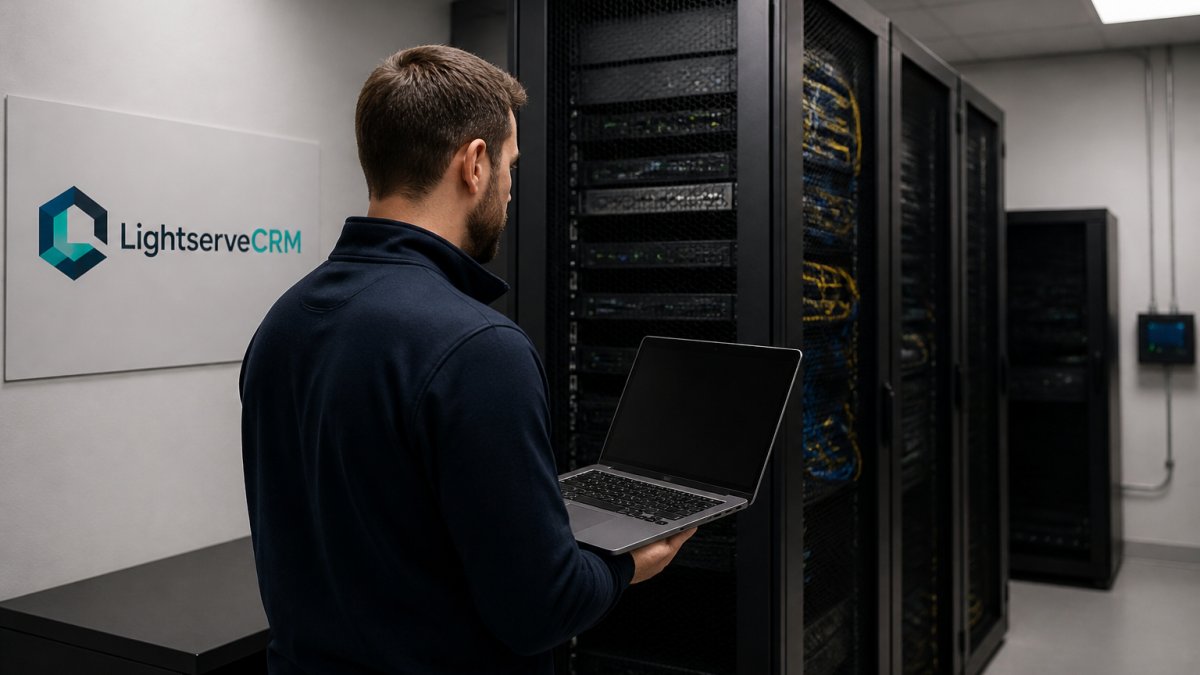
Data ownership is absolute: When your CRM runs on your infrastructure, you own the data completely.
Security becomes your responsibility: Self-hosting means you implement firewalls, encryption, intrusion detection, and access controls. You apply security patches promptly. You monitor for unauthorized access. You maintain audit logs.
Compliance simplification: Many regulatory frameworks require data to remain on-premises. HIPAA-covered entities in healthcare, financial institutions under PCI-DSS requirements, and businesses subject to state privacy laws often mandate on-premises storage.
Backup and disaster recovery: You control your backup strategy. Many businesses implement 3-2-1 backup methodology: three copies of data, on two different media types, with one copy offsite.
Access control and audit trails: Implement user authentication (strong passwords or multi-factor authentication), role-based access control, and comprehensive logging. Every action, who accessed what data, when, and what they changed, should be logged.
For businesses where data security is non-negotiable, self-hosted CRM is often the only acceptable option. The trade-off is operational burden, you're maintaining security infrastructure, not delegating it to a vendor.
Total Cost of Ownership: Calculating Real Expenses Beyond Software
Many small businesses underestimate the true cost of self-hosted CRM because they focus on software licensing and ignore infrastructure and labor costs.
Software licensing: Self-hosted platforms vary widely. Some open-source options are free. Commercial self-hosted software typically involves upfront perpetual licenses or annual subscription fees.
Infrastructure costs: Server hardware, whether purchased outright or leased, has real expense. A dedicated server costs between modest initial investment to several thousand dollars depending on specifications. Network infrastructure, routers, firewalls, backup storage, adds more.
Labor and administration: Someone manages the system. They install updates, monitor performance, troubleshoot issues, manage user accounts, and handle backups. Even if this is part-time work by an existing staff member, it's labor cost.
Maintenance and support: Self-hosted systems require ongoing maintenance. Security patches, database optimization, hardware replacement, and disaster recovery testing all consume time and money. Commercial platforms often include support; self-hosted open-source typically doesn't.
Scalability costs: As your business grows, infrastructure needs increase. More users require more server capacity. More data requires more storage. Scaling self-hosted infrastructure often means purchasing additional hardware or upgrading existing systems.
Total cost calculation: Add software licensing, infrastructure, labor, maintenance, and scalability costs over three years. Compare this to cloud CRM costs over the same period.
Self-hosted CRM deployment requires commitment to infrastructure, security, and ongoing administration. LightserveCRM combines the flexibility of self-hosted deployment with professional support, integrated appointment scheduling, automated invoicing, and mobile-friendly field operations, giving you a unified workspace for operations, money, and communications without vendor lock-in.
Frequently Asked Questions
What is a self-hosted CRM?
A self-hosted CRM is customer relationship management software installed and operated on your own servers or infrastructure rather than accessed through a cloud provider. You maintain full control over the data, deployment, and customization. Self-hosted CRM solutions give small businesses complete data ownership and the ability to integrate with existing systems without relying on a third-party vendor's infrastructure or uptime.
Is self-hosted CRM software cheaper than cloud CRM?
Self-hosted CRM may have lower ongoing subscription costs, but total cost of ownership includes hardware, IT staff time, maintenance, security updates, and backups. Cloud CRM spreads costs predictably across monthly fees. Self-hosted makes financial sense when you need strict data control or already have IT infrastructure in place.
What server requirements does a self-hosted CRM need?
Requirements vary by platform but typically include a server with adequate CPU, RAM (often 8-16 GB minimum), storage capacity, and a database system. You'll need reliable network connectivity, backup systems, and either in-house IT expertise or a managed hosting provider. Operating system compatibility, database software, and security infrastructure must also be considered. Review your CRM vendor's specific hosting requirements before deployment.
How do you keep a self-hosted CRM secure and backed up?
Implement regular automated backups to an offsite location, use firewalls and encryption for data in transit and at rest, apply security patches promptly, and enforce strong access controls. Monitor system logs for unauthorized activity and conduct periodic security audits. Establish a disaster recovery plan so you can restore operations quickly if hardware fails. Many small businesses partner with managed hosting providers to handle these responsibilities.
Can a self-hosted CRM work for field service teams?
Yes, self-hosted CRM can support field service operations if it includes mobile functionality. Look for dedicated mobile-friendly interfaces that sync data when technicians are offline and reconnect when service returns. Ensure the platform handles appointment scheduling, customer contact details, invoicing, and task management on mobile devices. Test mobile performance in areas with spotty coverage to confirm it meets your team's needs.
What are the benefits and drawbacks of hosting your own CRM?
Benefits include complete data ownership, customization freedom, and no vendor dependency. Drawbacks include responsibility for maintenance, security patches, backups, infrastructure costs, and IT expertise requirements. You bear the risk of hardware failure and must manage software updates yourself. Small teams often find the operational burden outweighs the benefits unless compliance or data control is critical.