
Product gallery
Show the work. Hide nothing.
Eleven frames of the workspace customers and staff actually live in, including the mobile-friendly field page. Each caption names the screen and the job it covers. Click any image to open full size. Prev/Next or arrow keys to walk the set.
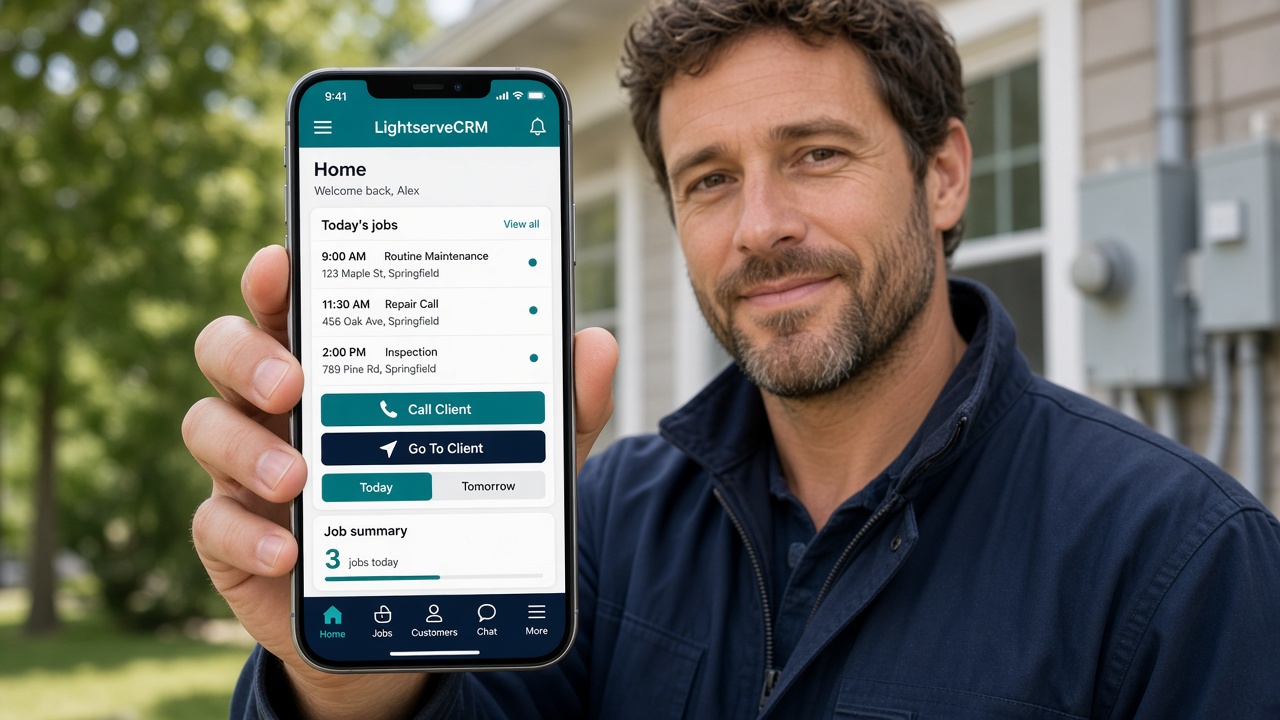
Mobile field page
Today/Tomorrow appointments, Call Client, Maps, notes, Analyze labels, consultant share, invoices, chat. Tabs pinned on iPhone.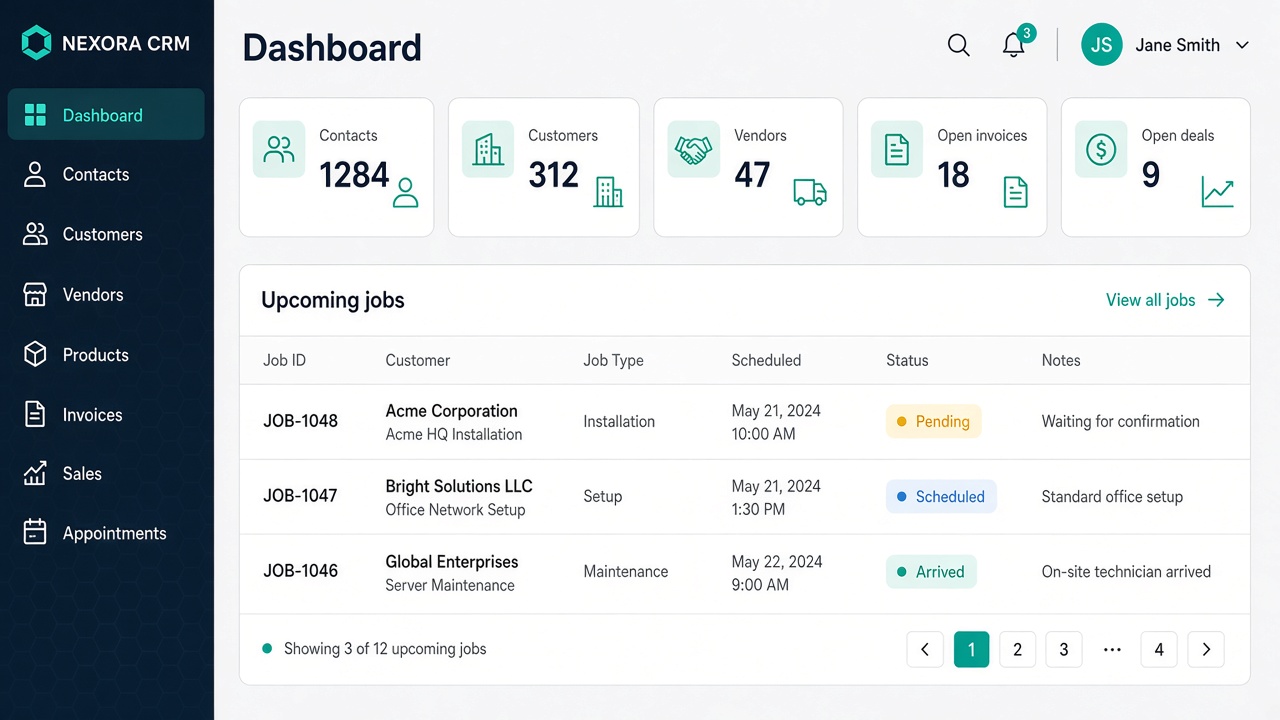
Dashboard
Customize widgets and charts. Counts, paid revenue, status pies, aging, deals, upcoming appointments.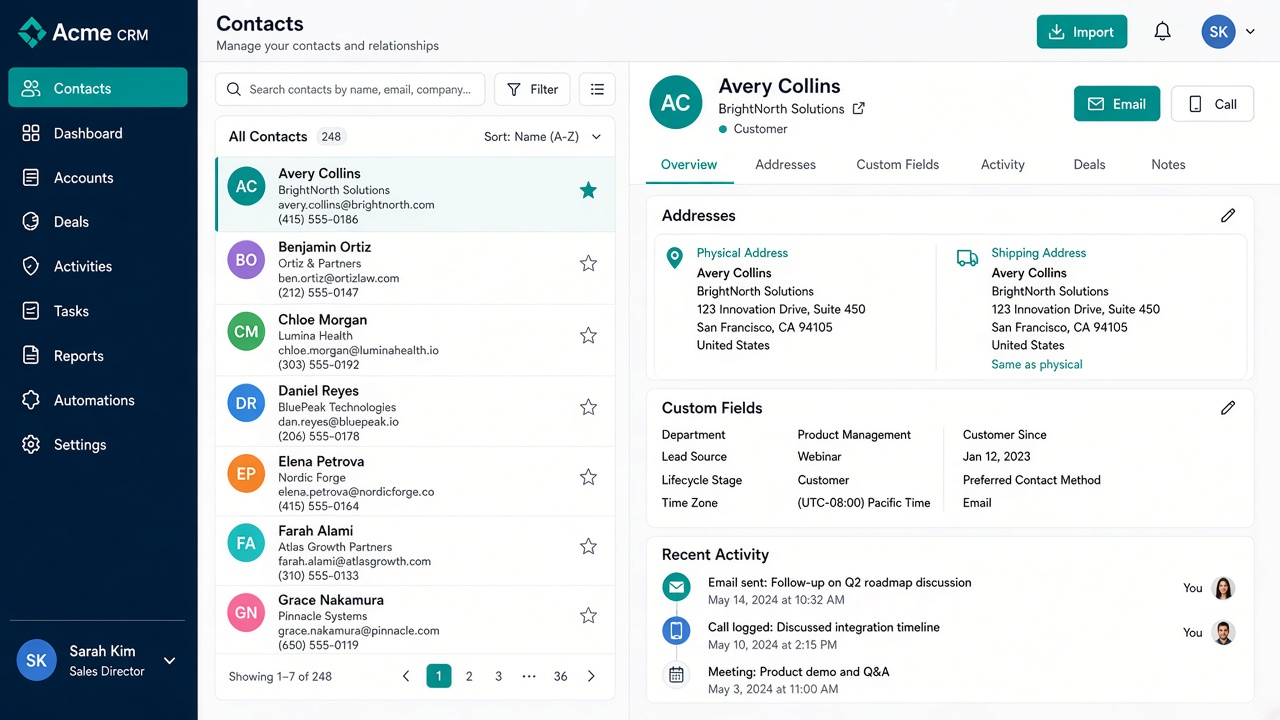
Contacts
Directory plus detail: physical, mailing, shipping addresses, custom fields, import.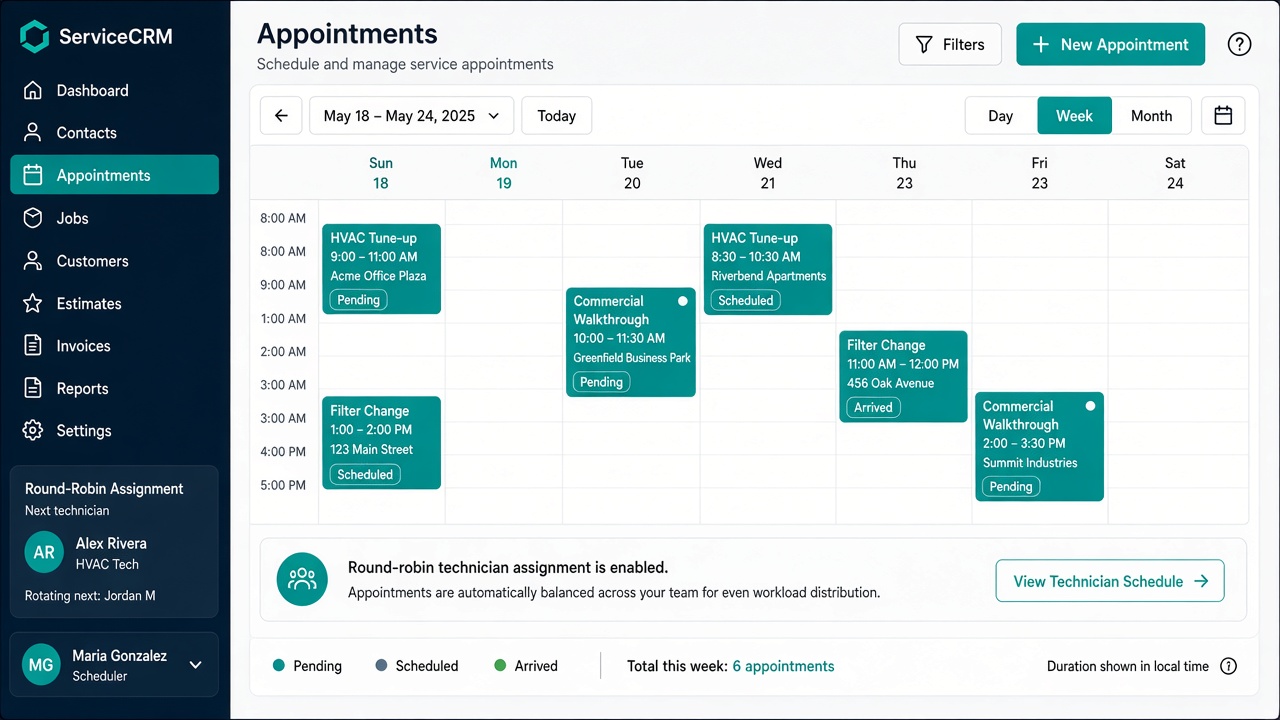
Appointments
Day / Week / Month calendar. AI nameplate notes. Consultant share links with photos and AI Notes.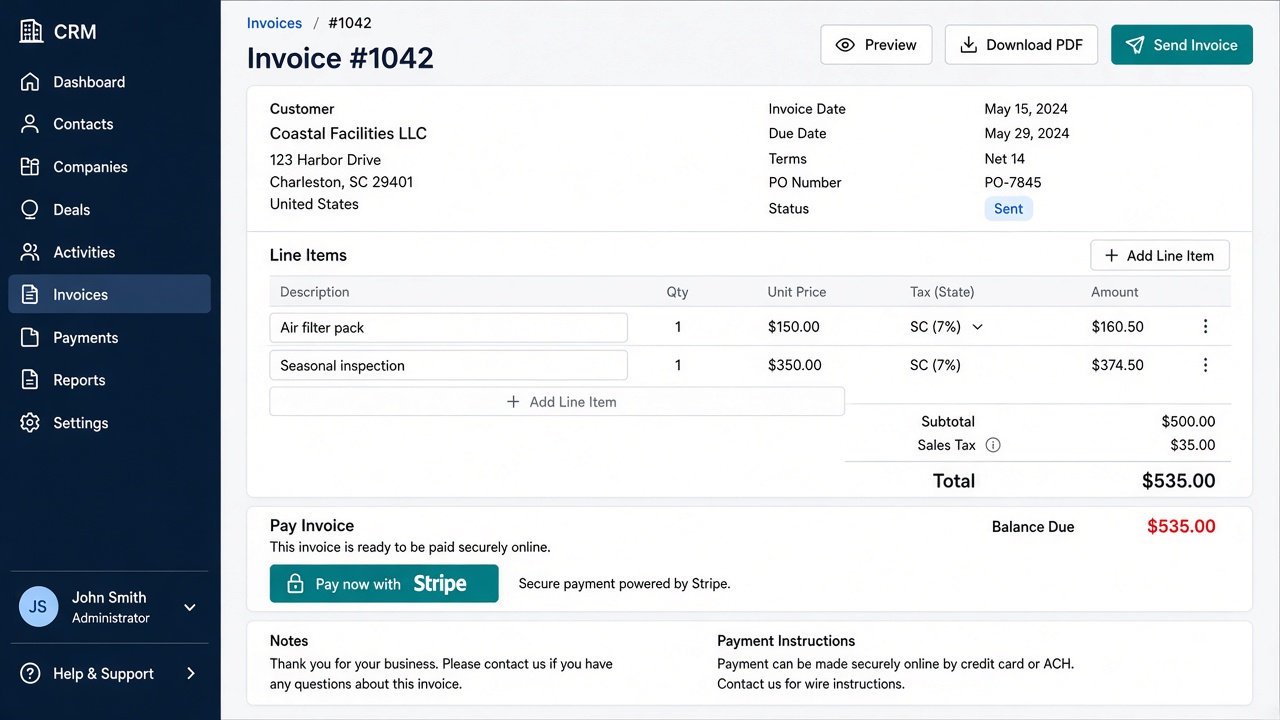
Invoices
Catalog lines, state tax, Stripe Checkout, and named payment-link buttons with Email.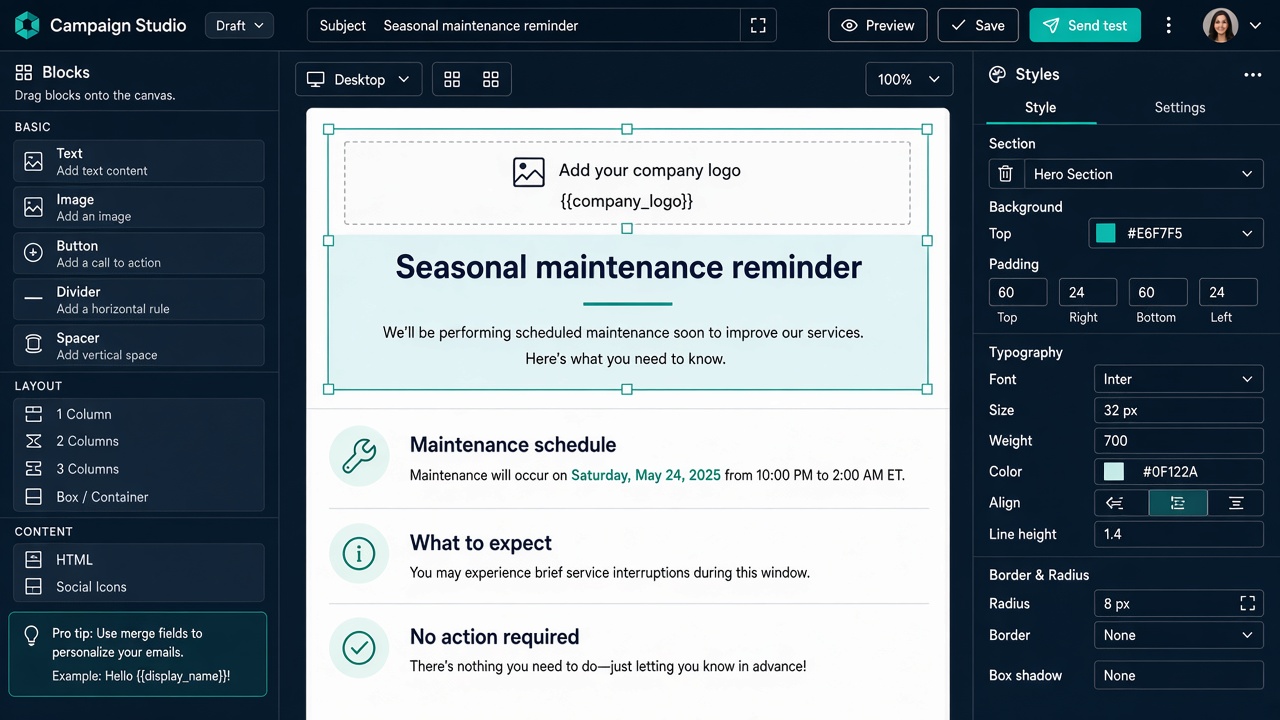
Campaigns
GrapesJS designer, mailing lists, merge fields including company logo, unsubscribe.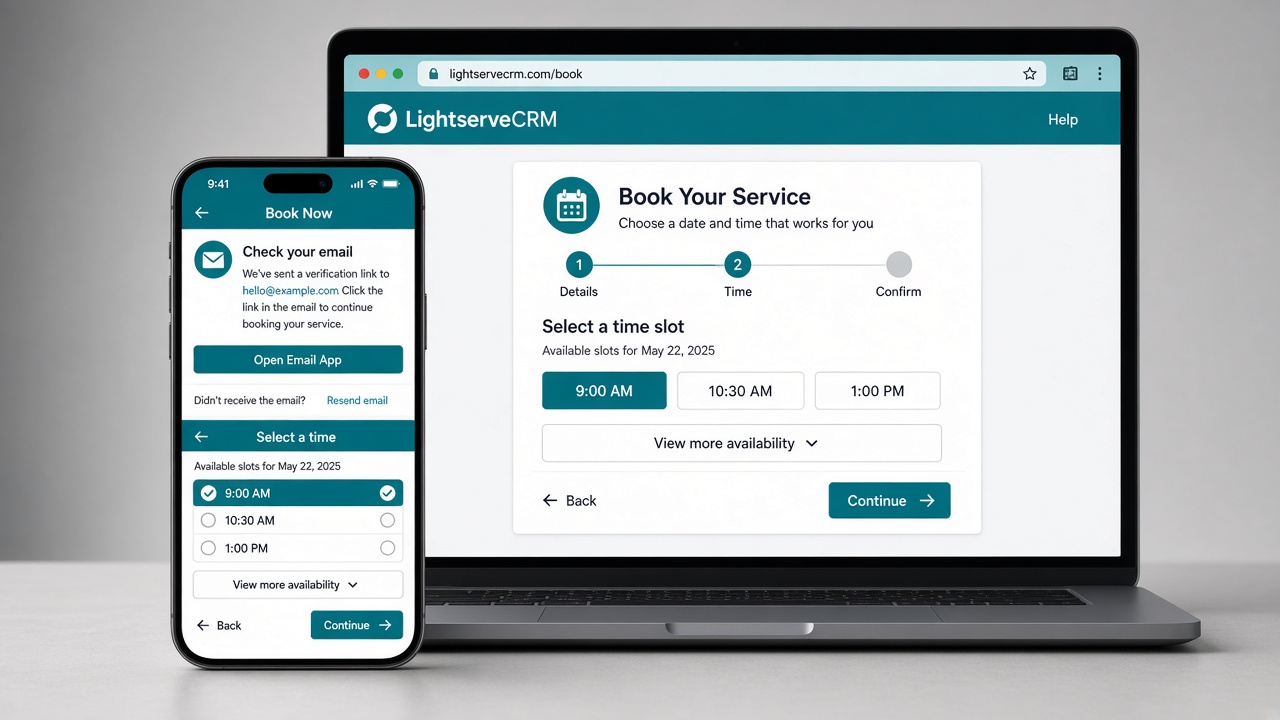
Book Now
Email or text-message sign-in, service slots, product requests, magic-link resend.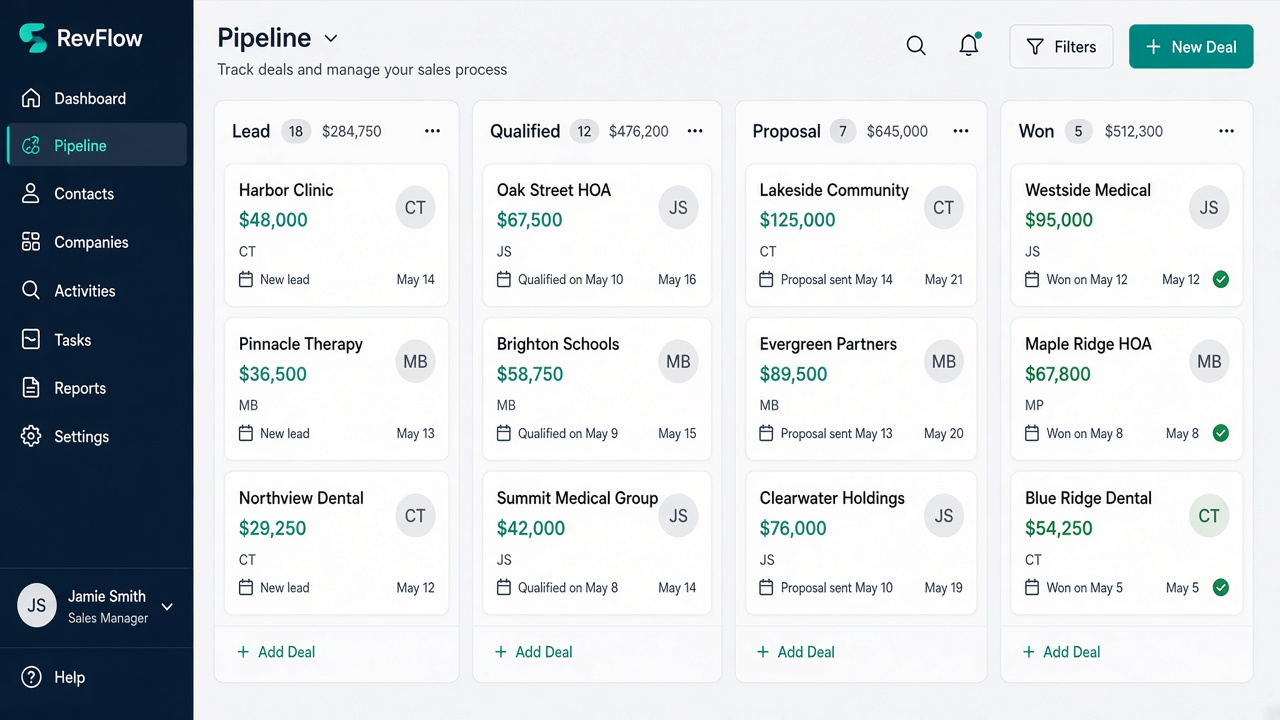
Sales pipeline
Stages, deal amounts in cents, owners, deal-won automation.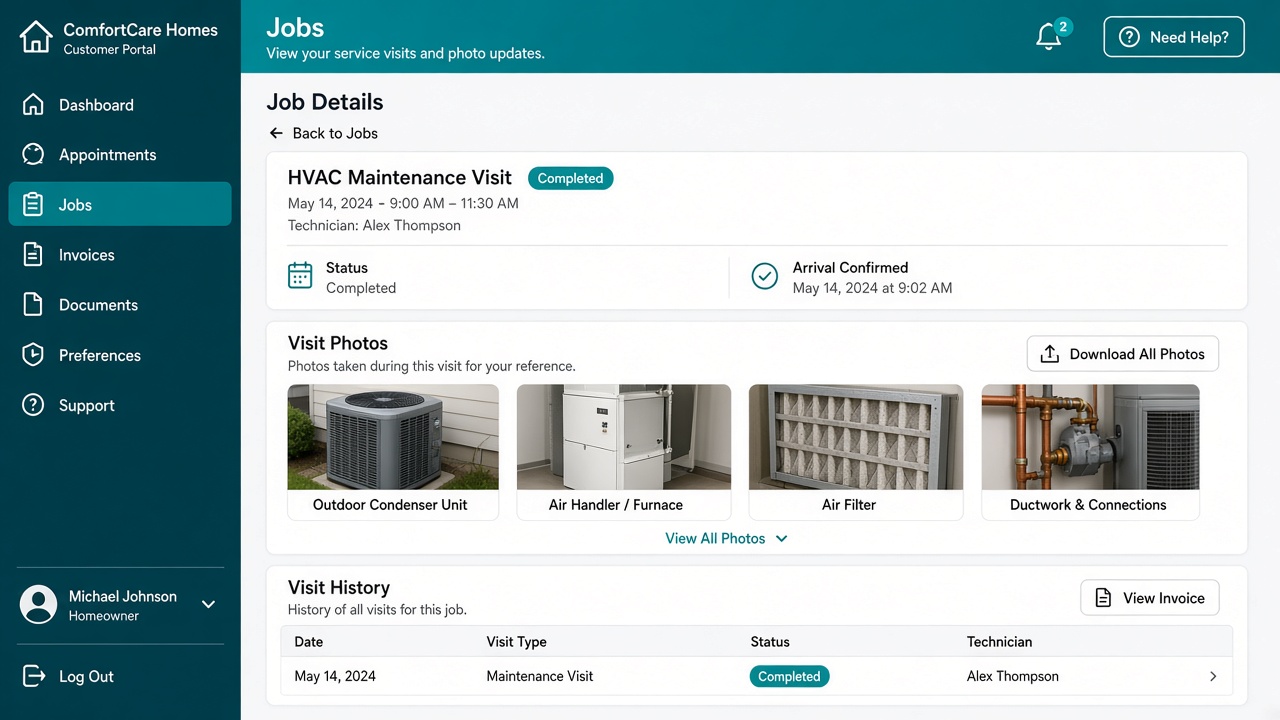
Customer portal
Appointments, photos, invoices, reviews, reschedule inside the company window, link back to Book Now.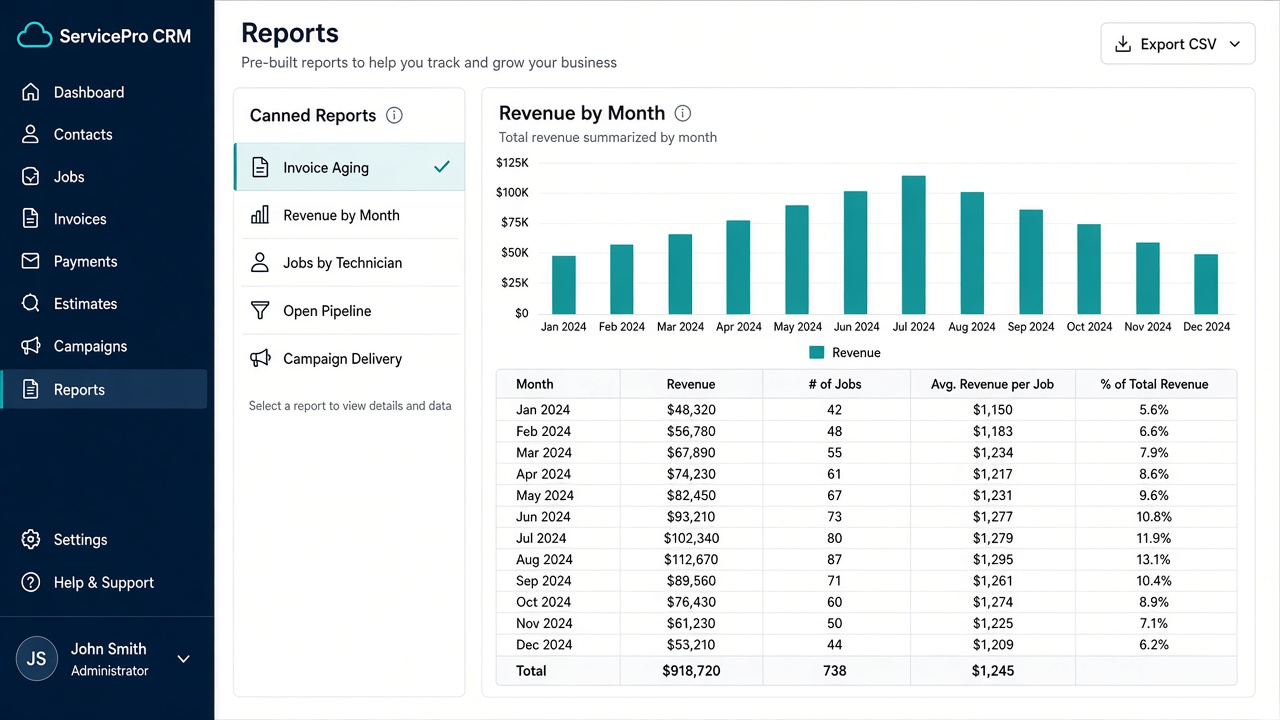
Reports
Invoice aging, revenue by month, appointments by technician, open pipeline, campaign delivery. CSV on every view.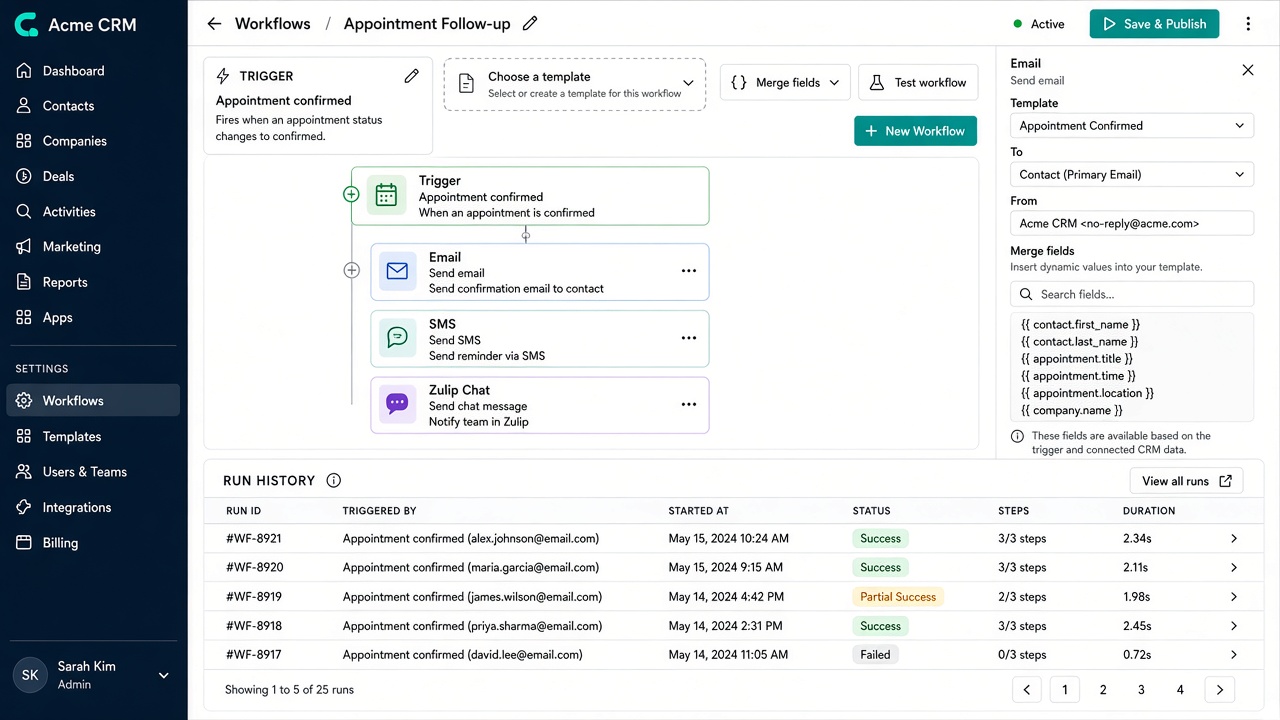
Workflows
Trigger catalog, ordered email / SMS / Zulip steps, run history, overlap warning with webhooks.What the frames show
The set is the product as staff and customers use it, not a mockup. The mobile field page is the phone workspace: today's appointments, Call Client, Maps, notes, and the pinned tabs. The dashboard is the office view, with counts, charts, and upcoming work. Contacts, appointments, and invoices are the daily records. Campaigns, Book Now, the pipeline, the customer portal, reports, and workflows are the rest of the same install. Open any frame at full size, then use Prev, Next, or the arrow keys to move through the eleven images.
These screens belong to one company install. Staff see the desktop workspace. Technicians see the phone field page. Customers see Book Now and the portal. The gallery is here so a buyer can compare those surfaces before a trial, without a login. Every frame is a screen that ships today.
A buyer can walk the eleven frames without an account. The phone frame is the field page a technician keeps open between jobs. The office frames are the dashboard, contacts, appointments, and invoices. The remaining frames are campaigns, Book Now, the sales pipeline, the customer portal, reports, and workflows. Each caption names the job that screen covers. Full size is the same image, not a different picture.
Questions
How many frames are in the gallery?
Eleven frames of the workspace customers and staff actually live in, including the mobile-friendly field page.
How do I view a frame larger?
Click any image to open it full size. Prev/Next or the arrow keys walk the set.