

Table of Contents
- Why Data Security Matters in Field Service Operations
- Field Service Data Encryption: Protecting Information in Transit and at Rest
- Role-Based Access Control for Field Service Teams
- Authentication, Multi-Factor Authentication, and Identity Management
- Field Service Software Security Best Practices for Mobile and Offline Work
- Field Service Software Backup and Recovery: Ensuring Data Integrity
- Monitoring, Auditing, and Incident Response
- Frequently Asked Questions
Last Updated: October 16, 2026
Why Data Security Matters in Field Service Operations
Data security for field software isn't optional.
Field service businesses face unique challenges: technicians work offline in remote areas, use personal phones and tablets, and sync across unreliable networks.
The stakes are real: a breach costs money to fix, damages your reputation, loses customers, and can trigger regulatory fines.
This guide covers the essentials: encrypting data, controlling access, authenticating users, and responding to threats.
Field Service Data Encryption: Protecting Information in Transit and at Rest
Encryption is your first line of defense, scrambling data so only authorized people can read it.
Encryption in transit protects data moving between devices and servers.
Encryption at rest protects stored data.
Two encryption approaches work well:
- End-to-end encryption: Only the sender and receiver can decrypt messages. The service provider can't read the data. This offers maximum privacy.
- Server-side encryption: The service encrypts data before storing it. Keys stay on secure servers. This is easier to manage at scale.
Field teams need both: end-to-end encryption for customer communications, server-side for stored records.
LightserveCRM encrypts all customer data by default, with cloud or self-hosted deployment and industry-standard protocols.
Role-Based Access Control for Field Service Teams
Not every team member needs access to everything. Role-based access control (RBAC) limits what each person can see and do.
Assign permissions by role, not person.
Use least privilege: give people only the access they need.
Field service software should make RBAC simple: create roles once, assign team members, done.
LightserveCRM includes a secure permission matrix with company-, job-, or record-level permissions and role-restricted API access.
Authentication, Multi-Factor Authentication, and Identity Management
Strong authentication proves users are who they claim to be, requiring multiple proof points rather than weak passwords.
Multi-factor authentication (MFA) requires two or more proof methods:
- Something you know (password)
- Something you have (phone, security key)
- Something you are (fingerprint, face)
A technician logs in with a password, the system sends a code to their phone, and they enter it.
MFA stops most account takeovers. Use it for all team members, especially admin accounts.
Field teams need simple MFA: SMS codes work, authenticator apps work better, biometric login works best.
Field Service Software Security Best Practices for Mobile and Offline Work
Mobile and offline work is where field software security breaks down. Office controls assume a wired network and managed laptop; field teams work on shared tablets, personal phones, public Wi-Fi, and in basements with no signal. The threats, and controls, must be different.
Field-specific threat scenarios to design against
- Lost or stolen device with cached customer records. A technician leaves a tablet on a truck seat. It holds addresses, gate codes, payment notes, and job photos. Without full-disk encryption and a remote wipe, that is a reportable breach.
- Shared device between shifts. Two technicians use the same tablet. If the app keeps a session open, the second tech can see the first tech's jobs, customer notes, and sometimes payment data.
- Public Wi-Fi sync. A tech connects to free cafe Wi-Fi to upload job photos. Without certificate pinning or a VPN, an attacker on the same network can intercept the sync.
- Offline queue exposure. Jobs completed offline sit in a local database until connectivity returns. If that store is unencrypted or never expires, stale customer data lingers for months.
Mobile device management and BYOD controls
Mobile device management (MDM) is the practical answer to most of the scenarios above. At minimum, enforce:
- Device enrollment. Only enrolled devices can install the field app, tying the device to a known user and OS version.
- Passcode and biometric lock. Require a 6-digit PIN or biometric unlock, with automatic lock after 5 minutes of inactivity.
- Remote lock and remote wipe. If a device is lost, lock it immediately and wipe company data on the next check-in. Test this before you need it.
- Jailbreak and root detection. Block the app from running on compromised devices.
A common pattern: allow BYOD for phones but require company-issued, fully managed tablets for any role handling payment data or full customer records.
Secure synchronization and conflict handling
Offline work only stays safe if the sync path is safe. Build the sync layer around four rules:
- Encrypt in transit. Use TLS 1.2 or higher for every sync call. Pin the server certificate in the mobile app so a rogue access point cannot impersonate the backend.
- Encrypt the local store. Use the platform's encrypted storage (iOS Data Protection, Android EncryptedFile or equivalent). Never write customer data to plain files or unencrypted SQLite.
- Authenticate every sync. Sync uses a short-lived token tied to the device and user, not a long-lived API key baked into the app. Tokens expire and can be revoked remotely.
- Handle conflicts deterministically. When two devices edit the same record offline, the server resolves the conflict by a defined rule (last-write-wins with an audit trail, or field-level merge). Log every conflict and resolution so you can reconstruct what happened.
Also set a local data retention limit. If a job closed 30 days ago, the device should drop the cached copy. Fewer records on the device means a smaller blast radius if it is lost.
A short verification checklist
Run this quarterly against a sample of field devices:
- Confirm full-disk encryption is on.
- Confirm the app container is encrypted and the OS passcode is set.
- Confirm the device appears in MDM and is patch-compliant.
- Confirm a remote wipe command reaches the device within 24 hours.
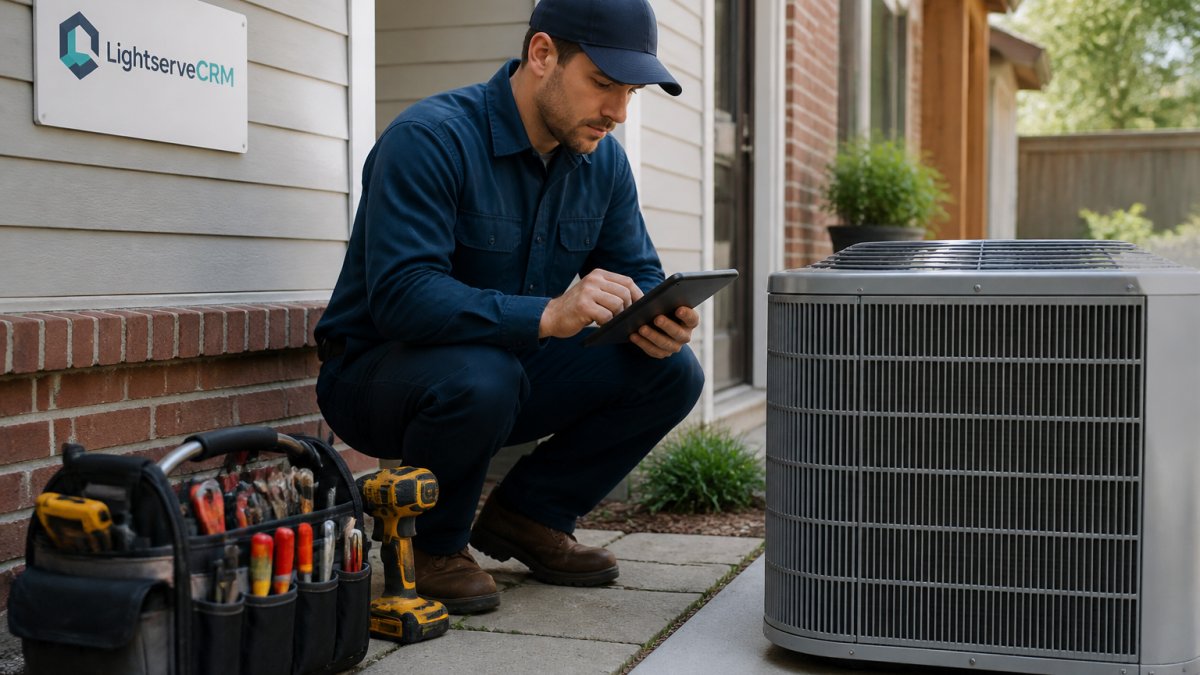
Offline work requires trust, but trust should be backed by controls you can verify. Encrypt the device, contain the app, expire the cache, and log the sync. Test all four on a schedule, not once at rollout.
Field Service Software Backup and Recovery: Ensuring Data Integrity
Backups are the last line of defense, and in field service they cover more than the server. Customer records, job photos, signatures, payment authorizations, and offline-completed work all need a recoverable copy. A backup you cannot restore under pressure is not a backup.
What to back up, and how often
- Primary database (customer records, jobs, invoices). Continuous or hourly snapshots. This is the system of record.
- Object storage (photos, signatures, PDFs). Versioned storage with soft delete. Field photos are often the only proof of work performed.
- Configuration and permissions. Role definitions, permission matrices, and integration credentials. Losing these can lock your team out even if the data is intact.
- Device-side offline queues. Treat these as transient, not authoritative. The server is the source of truth; devices re-sync after recovery.
A practical target for most field service operations is an RPO (recovery point objective) of 1 hour for transactional data and 24 hours for media, and an RTO (recovery time objective) of 4 hours for the core job and customer system. Set your own numbers, write them down, and test against them.
The 3-2-1 rule, applied
Keep at least three copies of data, on two different media types, with one copy off-site. In practice:
- Copy 1: live production database.
- Copy 2: encrypted snapshot on separate infrastructure in the same region.
- Copy 3: encrypted copy in a different region or a separate cloud account.
Encrypt every backup in transit and at rest. Store encryption keys separately from the backups. If the key sits next to the backup, the encryption buys you nothing.
A sequenced implementation workflow for field teams
- Inventory. List every system that holds customer or job data: field app backend, CRM, payment processor, file storage, MDM.
- Classify. Mark each as system of record, derived, or transient. Back up systems of record first.
- Configure. Turn on automated backups with the RPO you set above. Enable versioning and soft delete on object storage.
- Isolate. Move at least one backup copy to a separate account or region with different credentials.
- Document. Write the restore runbook: who can restore, what order, what to verify.
- Test. Restore into a staging environment monthly. Time it. Compare against your RTO.
- Review. Quarterly, confirm backups are completing, keys are current, and the runbook still matches reality.
Recovery scenarios specific to field work
- Accidental deletion of a closed job. Restore the single record from the most recent snapshot rather than rolling back the whole database.
- Ransomware on the backend. Restore from the isolated off-site copy. Do not reconnect the infected environment until it is rebuilt.
- Corrupted sync that overwrote good records. Use versioned object storage and database point-in-time recovery to roll back to just before the bad sync.
- Lost device with unsynced offline work. The device's local queue is gone, but the last successful sync is on the server. Accept the small data loss window and tighten sync frequency if it matters.
Measurable outcomes to track
- Backup success rate (target: 100% of scheduled jobs complete).
- Time since last successful restore test.
- Actual RTO and RPO from the last drill versus target.
- Percentage of backups with verified encryption and separated keys.
- Number of records recovered per incident and time to recover.
Backups protect against loss. Recovery proves the protection works. Automate the backup, isolate a copy, test the restore, and track the numbers. That is how field data stays intact when something goes wrong.
Monitoring, Auditing, and Incident Response
You can't protect what you don't see.
Monitoring tracks what happens in your system:
- Who logged in and when
- What data they accessed
- What changes they made
- What files they downloaded
- What errors occurred
Auditing reviews monitoring data. Did anyone access data they shouldn't?
Incident response is your plan for when something goes wrong, a hacker gets in, a technician loses a phone, a virus infects a device. It tells you what to do:
- Detect the problem quickly
- Isolate the damage
- Investigate what happened
- Recover from the incident
- Improve to prevent it again
Create an incident response plan now, not after a breach.
Log everything. Logs are your evidence. They prove what happened.
Protecting customer data builds trust, keeps your business safe, and meets legal requirements. Data security for field software isn't a one-time project, it's an ongoing practice.
Start with the basics: encrypt data, control access, authenticate users.
LightserveCRM makes security straightforward. Cloud or self-hosted options. Built-in encryption. Role-based access. Automatic backups.
Frequently Asked Questions
How do you secure data in field service software?
Secure field service software through a combination of encryption (both in transit and at rest), role-based access control, multi-factor authentication, and regular security audits. Implement least-privilege access so technicians see only the customer data they need. Use mobile device management to control offline access and enforce remote wipe capabilities. Regular backups and incident response procedures protect against data loss and breaches. For sensitive customer information, apply field-level and record-level security controls.
What security features should field service software have?
Essential security features include end-to-end encryption, role-based access control with granular permissions, multi-factor authentication, audit logs for compliance tracking, data masking for sensitive information, mobile device management, secure synchronization for offline work, and automated backup and recovery systems. The software should also support self-hosted deployment options for organizations with strict data residency requirements, and provide continuous monitoring and threat detection to identify unauthorized access attempts.
How can field technicians protect customer data on mobile devices?
Technicians should use strong, unique passwords combined with multi-factor authentication on all devices. Enable automatic screen locks and remote wipe capabilities in case a device is lost. Avoid storing sensitive customer data locally unless absolutely necessary, and use encryption for any cached data. Keep the mobile app and operating system updated with the latest security patches. When connecting to public Wi-Fi, use a VPN if available. Comply with your organization's data handling policies and never photograph or screenshot customer information unless required by your workflow.
What is role-based access control in field service software?
Role-based access control (RBAC) assigns permissions based on a user's job function. A field technician might see only customer contact details and service history, while a manager can access invoicing and performance metrics, and an admin manages user accounts and system settings. This least-privilege approach reduces the risk of accidental data exposure or unauthorized access. RBAC simplifies permission management across growing teams and ensures compliance by limiting who can view, edit, or delete sensitive information like payment details or personal customer data.