
Last Updated: October 23, 2026
Quick Summary
Automate invoicing for field service teams by using integrated software that captures job details, labor time, and materials directly on-site, then generates and sends invoices automatically. This eliminates manual paperwork, compresses the billing cycle from days to minutes, and accelerates cash flow while reducing errors and freeing technicians to focus on revenue-generating work.
- Technicians clock in and out on mobile devices with exact timestamps, eliminating manual time disputes
- Parts and materials pricing pull automatically from a live database, preventing lookup errors and outdated costs
- Invoices can be configured to send automatically within hours of job completion, keeping them fresh in customers' minds
- On-site invoice generation lets customers see itemized breakdowns immediately and resolve disputes before leaving
- Automated payment reminders and online collection reduce follow-up burden and accelerate payment speed
Table of Contents
- Why Automate Invoicing for Field Service Teams
- How Field Work Connects to Invoice Creation
- Work Order to Invoice Automation: The Core Workflow
- Field Service Invoicing Software: Choosing the Right Platform
- Mobile Invoicing for Contractors: On-Site Invoice Generation
- Contractor Invoicing Best Practices for Accuracy and Speed
- Reducing Manual Data Entry and Billing Errors
- Implementation: Getting Your Field Team Onboard
- Frequently Asked Questions
Why Automate Invoicing for Field Service Teams
Automating invoicing for field service teams eliminates one of the biggest operational drains: manual paperwork. When technicians finish a job, they typically return to the office to write up an invoice, double-check materials, calculate labor hours, and send it out. That's wasted time. The real work was done on-site. Everything after that is administrative friction.
Field service businesses lose hours every week to invoice delays, data entry errors, and payment follow-ups. Your technicians could be taking the next job instead of sitting at a desk. Your office staff could focus on customer retention instead of chasing unpaid invoices. When you automate invoicing for field service teams, you compress the entire billing cycle from days into minutes.
The payoff is immediate: faster cash flow, fewer billing disputes, and technicians who spend more time earning revenue instead of creating paperwork. That's the core argument for automation. Everything else flows from it.
How Field Work Connects to Invoice Creation
The connection between field work and invoicing starts with data capture. A technician arrives at a job with a work order, the instructions for what needs to be done, who the customer is, and what service was requested.
Without automation, that information lives in a notebook or a text message. Someone in the office then manually types it into an invoice template, cross-references pricing, calculates totals, and sends it out. Each handoff introduces delay and error.
When you automate invoicing for field service teams using integrated software, the work order becomes the invoice foundation. The technician logs details directly into the system, time spent, parts consumed, expenses incurred. The moment the job is marked complete, the system generates a complete, accurate invoice automatically.
This connection is why field service invoicing software matters: it closes the gap between what happened on-site and what the customer sees on their bill. The faster that happens, the faster you get paid.
Work Order to Invoice Automation: The Core Workflow
The work order to invoice automation process follows a clear sequence: create, execute, capture, generate, deliver. Understanding each step helps you choose the right software and train your team effectively.
Capturing Labor Time and Billable Hours
Billable hours are the foundation of field service invoicing. A technician arrives at 2 p.m., diagnoses the problem at 2:15, repairs it from 2:30 to 4:00, and leaves.
Manual capture creates disputes. The technician writes down start and end times. The office staff interprets the handwriting, rounds times, or makes assumptions about what counts as billable. The customer questions the invoice. You lose credibility and payment delays.
Mobile-first field service software solves this by letting technicians clock in and out directly on their device. The system records exact timestamps and calculates billable hours automatically. When the job is marked complete, those hours flow directly into the invoice. No ambiguity. No rework.
Some platforms also support GPS-based time tracking, which validates that the technician was on-site during the logged hours. This protects you against disputes and creates an audit trail for compliance.
Adding Parts, Materials, and Expenses
Labor is only one side of the invoice. Parts, materials, and expenses, service charges, travel fees, disposal costs, must be captured accurately and added to the total.
A technician replaces a compressor, uses refrigerant, and charges a service call fee. Each item has a cost.
Integrated invoicing software maintains a live inventory and pricing database. When a technician logs a part as used, the system pulls the current cost automatically. Discounts apply based on customer type or contract terms. Expenses are predefined and added with a single tap.
This also provides inventory control: as parts are logged to jobs, stock levels update automatically. When inventory runs low, the system can trigger reorder alerts.

Field Service Invoicing Software: Choosing the Right Platform
Selecting field service invoicing software requires balancing integration depth, ease of use, and cost. The best platform for your business depends on your team size, the complexity of your billing, and your existing tools.
Key features to evaluate include mobile-first design (technicians work in the field, not at desks), real-time syncing (invoices appear instantly without manual uploads), customizable templates (your brand and terms matter), and payment processing integration (customers pay directly from the invoice).
LightserveCRM provides a unified workspace that consolidates field operations, scheduling, invoicing, and customer management. The platform offers both cloud and self-hosted deployment options, ensuring data security. Its dedicated mobile-friendly field page lets technicians capture job details, log time, and add materials directly on-site.
For teams prioritizing simplicity and speed, this all-in-one approach eliminates the need for separate tools. One system handles dispatching, customer records, and billing.
| Feature | Priority | Why It Matters |
|---|---|---|
| Mobile-first design | Critical | Technicians work on-site, not at desks |
| Real-time syncing | Critical | Invoices send the same day work completes |
| Customizable templates | High | Your branding and payment terms |
| Payment integration | High | Customers pay directly from invoice |
| Inventory tracking | High | Prevents overbilling and stock-outs |
| Accounting software sync | High | Eliminates manual entry into accounts receivable |
Mobile Invoicing for Contractors: On-Site Invoice Generation
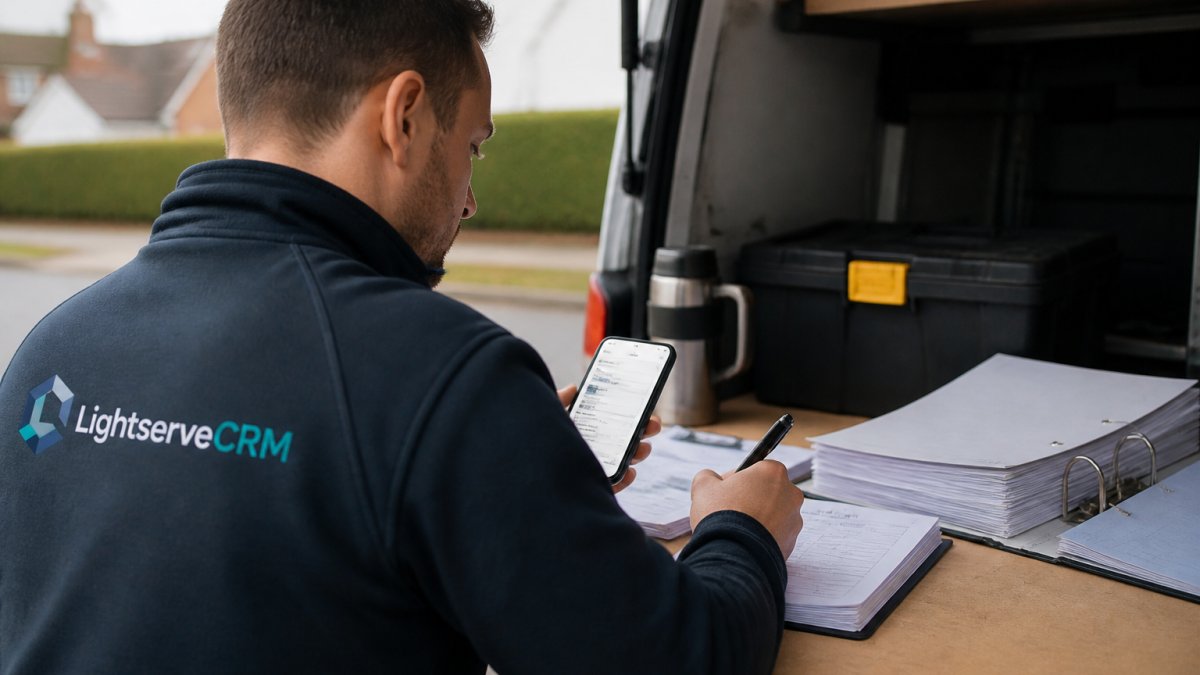
Mobile invoicing for contractors transforms the billing process. Instead of returning to the office, a technician completes the job, opens the app, reviews the auto-populated work details, adds any final notes, and sends the invoice, all from the customer's driveway.
This shift has three immediate effects. First, customers receive invoices faster, which accelerates payment. Second, technicians spend less time on administrative work and more time on revenue-generating jobs. Third, errors drop because data is captured in real time, not transcribed hours later.
On-site invoice generation also builds customer confidence. The customer watches the technician generate the invoice in front of them, sees the itemized breakdown, and can ask questions immediately if something doesn't match their expectations.
The mobile experience must be intuitive. A technician should be able to open the app, see the job details pre-loaded, add time and materials with a few taps, and send the invoice without confusion.
Contractor Invoicing Best Practices for Accuracy and Speed
Accuracy and speed are not opposites; they reinforce each other. Fast invoicing that contains errors creates disputes and delays payment further. Accurate invoicing that takes days to produce misses the cash flow benefit. The goal is both.
Scheduling and Sending Invoices Automatically
Automated scheduling removes the guesswork. Instead of waiting for someone to remember to send invoices, the system can be configured to send them automatically at a specific time after a job completes, say, within 2 hours of job closure. This keeps invoices fresh in the customer's mind and accelerates payment.
Some platforms also support recurring invoices for ongoing service contracts. A customer with a monthly maintenance agreement receives an invoice automatically on the same date each month, with no manual intervention. This is especially valuable for subscription-based service models.
You can also set invoices to send on a schedule that matches your cash flow needs. If your business operates on weekly billing cycles, invoices send every Friday. If you bill twice monthly, they send on the 1st and 15th. The system enforces consistency without relying on staff memory.
Automated Payment Reminders and Online Collection
Unpaid invoices are cash flow killers. Automated payment reminders reduce the follow-up burden and accelerate collection. The system can send a first reminder 3 days after the invoice is due, a second reminder after 7 days, and escalate to your team if payment remains outstanding after 14 days.
Online payment collection closes the loop. Instead of the customer writing a check or making a bank transfer, they click a link in the invoice or reminder and pay directly. This removes friction and reduces the time between invoice and payment. Many customers prefer paying online, and offering this option increases payment speed.
Payment processing integration also means funds appear in your account automatically, with no manual reconciliation. The invoice is marked paid, accounts receivable updates, and your accounting system reflects the transaction, all without human intervention.
Reducing Manual Data Entry and Billing Errors
Manual data entry is the enemy of accuracy. Every time information is retyped, the chance for error increases. A technician writes "1.5 hrs," the office staff types "1.75 hrs," and the invoice is wrong. A part number is misread.
Automating invoicing for field service teams eliminates most manual entry points. Work details flow from the field app directly into the invoice. Pricing is pulled from the system, not looked up manually. Calculations are performed by the software, not by hand.
The remaining source of error is initial data capture. If a technician logs the wrong time or forgets to note a material, the invoice will reflect that mistake. This is why training and clear processes matter.
Some software includes validation checks: if a technician logs 12 hours for a job that should take 3, the system flags it for review. If a part is marked as used but not added to the invoice, a reminder appears.
Implementation: Getting Your Field Team Onboard
Automation only works if your team uses it correctly. Implementation requires clear planning, training, and support.
Start by mapping your current invoicing process. When does a technician complete a job? When does the office staff create the invoice?
Next, configure the software to match your workflow. Set up your invoice template with your branding and terms.
Then train your technicians. Show them how to log time, add materials, and send invoices from their mobile device.
Finally, monitor adoption and results. Track how long it takes from job completion to invoice delivery.
LightserveCRM's unified workspace simplifies this transition. Your team has one system for scheduling, field operations, and invoicing.
Automating invoicing for field service teams is not a nice-to-have, it's a competitive necessity. Your cash flow depends on it.
LightserveCRM consolidates field operations, scheduling, and invoicing into one workspace. Technicians capture job details on-site. Invoices generate automatically. Customers receive them immediately and can pay online.
Frequently Asked Questions
How do you automate invoicing for a field service business?
Automate invoicing for field service teams by connecting work orders, time tracking, and material logs to your invoicing system. When a technician marks a job complete in the field, the system automatically pulls labor hours, parts used, and service charges to generate an invoice. Most field service invoicing software lets you set rules for invoice scheduling, customer approval workflows, and payment reminders, eliminating manual data entry and reducing errors.
What information should a field service invoice include?
A complete field service invoice should include the customer name and address, job date and location, itemized labor (hours and rate), parts and materials with costs, service charges or markups, total amount due, payment terms, and payment methods accepted. Include your company details, invoice number, and due date. Many contractors also add a job description or work performed summary so customers understand what they're paying for.
How can field service software create invoices from completed work orders?
Field service software automates invoice creation by capturing all job details in a work order: technician time, parts inventory deducted, travel time, and any extra charges approved on-site. When the technician marks the job complete, the system generates a customizable invoice using that data. Some platforms allow technicians to send invoices directly from the field, while others route them through an approval process before delivery to the customer.
Can field service teams send invoices and collect payments on-site?
Yes. Mobile invoicing platforms let technicians generate, customize, and send invoices directly from the job site using a phone or tablet. Many integrate online payment processing, so customers can pay immediately by card or bank transfer. This speeds cash flow, reduces follow-up work, and improves customer satisfaction by providing a professional, instant receipt.
